
Dell Inspiron 15 Laptop Battery

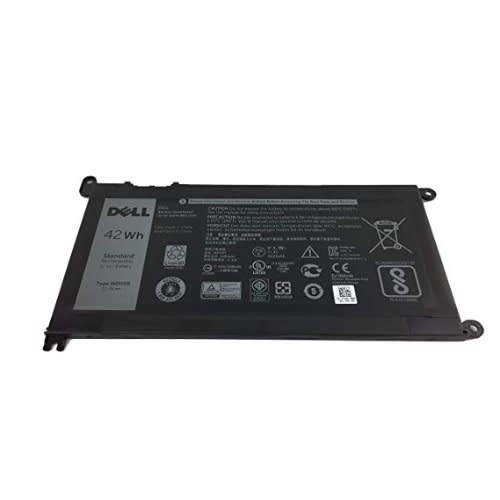
Dell Inspiron 15 Laptop Battery

Before using the new replacement battery for the first time, make sure that the battery is fully charged.
This battery ONLY works with the below models: ? Only 5 models of Inspiron 13 as the following: 5368 5378 5379 7368 7378 ? Only few models of Inspiron 15 as the following: 5565 5567 5568 5578 7560 7570 7579 7569 P58F ? Only 2 models of Inspiron 17 as the following: 5765 5767
- Replacement batteries need breaking in: fully charge the notebook battery, discharge it down to 20% remaining and then fully charge it again, repeat 3-4 times to break-in the notebook battery and get it to charge to its maximum
· Do not impact, drop, crush, pierce, throw or hit your laptop battery pack, as it can damage the battery cell inside.
· Lithium Ions can be ruined if the voltage drops below a certain level, avoid letting your notebook battery drain completely and repeatedly.
· Do not store your laptop away for extended periods with the battery attached. Please remove the replacement battery pack from the notebook before storing it away.
· Fully charge/discharge battery up to 4 cycles before achieving full capacity of a new battery
Fully charge and discharge the replacement laptop battery every two to three weeks for battery conditions
Reviews & Comments
Rating breakdown
Related Products